


10/26/2026
How to Host a Live Virtual Tour From Your Phone
A live virtual tour lets someone explore a place through your phone while you explain what makes it interesting. The useful part is your perspective: the detail a visitor would miss, the story behind a familiar building, or the craft process you can show close up.
To host a live virtual tour, choose one clear theme, plan a short route, test your connection at every stop and rehearse your narration. If you plan to charge, describe exactly what the viewer will see before asking them to join.
This guide is for people hosting a real-time experience. A recorded walkthrough or a clickable 360-degree property tour needs a different workflow.
1. Choose a tour someone can picture
“A walk around my city” is broad. “Three architectural details on my neighborhood’s oldest street” gives the viewer a reason to watch. Start with a place you know well enough to explain without reading a script.
- A neighborhood detail tour: compare a building facade, a small square and a piece of public art.
- A workshop tour: show your workspace, one tool and a finished piece, with permission where needed.
- A garden tour: explain a planting choice, show a close-up and finish with your favorite view.
- A local culture walk: focus on a theme you can describe accurately, rather than trying to cover an entire destination.
Ask: what will a viewer understand at the end that they did not understand at the start? Make that the promise in your description. Avoid presenting a casual walk as professional historical expertise you do not have.
2. Build a three-stop route
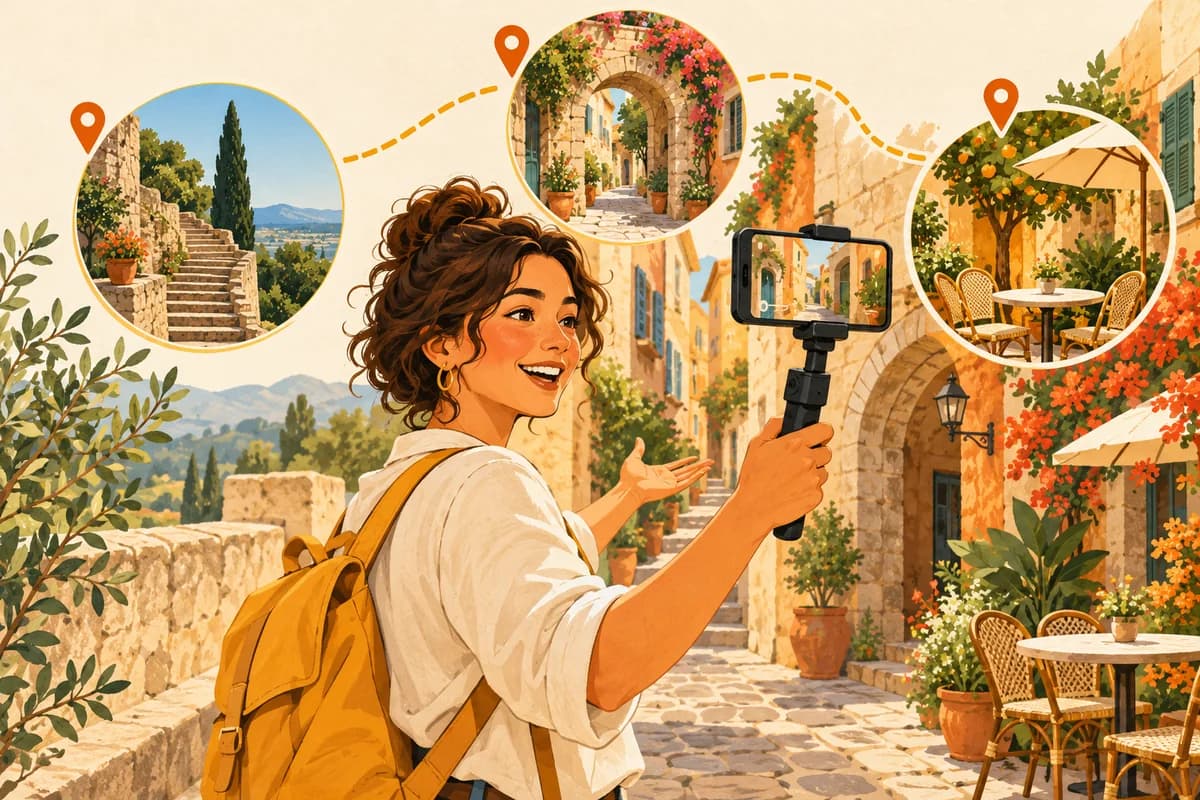
Use a compact route for your first rehearsal. Long walks between highlights create empty time and make connection problems harder to manage. Three stops are a planning suggestion, not a Cash For Chat platform limit.
- Stop one — orient: show a wide view and explain the theme.
- Stop two — notice: move closer to one detail and explain why it matters.
- Stop three — connect: show how the detail relates to the wider place and recap the story.
For example, an architecture walk could begin with a whole street, pause at a doorway and end in a courtyard. The route works because each stop adds something, rather than repeating the same view.
Write one main point and one supporting detail for each stop. Add a backup stop nearby in case the first location is noisy, crowded or unavailable. Pick a route you can navigate safely without watching your screen while crossing roads.
3. Test your phone where the tour will happen
A strong connection at home says little about the far end of your route. Test from the actual places you intend to show, ideally near the planned time of day. Listen back to a sample recording to catch wind, traffic and handling noise.
- Clean the camera lens and charge your phone.
- Check video and audio at every planned stop.
- Use a comfortable grip and move slowly; a stabilizer is optional.
- Test any microphone or headset before relying on it.
- Check whether your data allowance and battery suit the planned outing.
- Keep a safe place to pause if the connection becomes unreliable.
You do not need to buy a full filming kit before testing an idea. Clear speech and a steady view are more useful than equipment you have not practiced using. Check the orientation and camera controls supported by the app you use rather than assuming every platform works the same way.
4. Rehearse what the camera will show
Walk the complete route once without an audience. Say your introduction aloud, stop where you plan to stop and check the transition between views. Timing the rehearsal helps you choose a realistic advertised length.
A simple opening could be: “Today I’m showing you three details that make this street distinctive. We’ll start with the view, look closely at the doorway, then finish in the courtyard.”
At each stop, show the subject before explaining it. Give the viewer a moment to look. When you turn the camera or start walking, explain what is happening so the movement feels intentional. If your chosen format supports audience questions, leave room for them; do not promise an interaction feature you have not tested.
5. Write a clear description before setting a price
A paid live tour needs a specific offer. State the theme, the language you will use, the planned duration, the main sights and any limitations. If weather or access could change the route, explain that possibility before someone joins.
Description template: “Join me for a live look at [place or subject], focused on [theme]. I’ll show [stop one], [stop two] and [stop three], explaining [what viewers will learn]. The planned experience lasts [your realistic estimate] and is presented in [language]. [Relevant access or weather limitation].”
Fill the brackets with your actual plan. Do not promise a recording, private access, unlimited questions or a guaranteed sighting unless you can deliver it and your chosen service supports it.
When considering a price, include preparation and rehearsal time as well as the broadcast itself. Check the current platform charges and payout conditions before deciding what you would keep. An advertised price is not the same as take-home income, and publishing a tour does not guarantee paying viewers.
6. Where Cash For Chat fits
Cash For Chat includes Live Tours, where hosts can set a price for viewers to join a live broadcast. This makes it an option to explore if you want to share your surroundings through a paid experience.
Before publishing an offer, check the current Live Tour controls, account requirements and payment terms in the app. Face verification is available. Payout options confirmed by the team are PayPal and crypto; bank transfers are coming soon. Availability and terms should be checked for your own account before you rely on a payout method.
Use the description and route plan above as preparation, then confirm that the app supports the experience you want to offer. This guide does not promise a particular audience size, booking rate or earnings amount.
7. Run a final pre-tour check
- Offer: does the description match the route you can actually deliver?
- Route: are all stops accessible and appropriate to film?
- Sound: can someone hear your normal speaking voice clearly?
- Connection: have you tested the actual route, not just the starting point?
- Power: is the phone ready for the planned experience?
- Backup: do you know where you can safely pause or change stops?
Respect venue filming rules and the privacy of people nearby. Keep private addresses, personal documents and identifying details out of the frame. Your goal is to show the place and tell its story.
Live virtual tour questions
Can I host a live virtual tour with just a phone?
A smartphone can be enough to test your route, camera and narration. Whether it is enough for a paid experience depends on the actual audio, connection and viewing quality. Rehearse before advertising it.
Do I need a famous landmark?
No. A clear theme and useful local knowledge can make an ordinary place interesting. Describe the experience honestly so viewers know what they are choosing.
How long should my first tour be?
Choose a length you can sustain with useful stops and reliable connectivity. Time your rehearsal, allow for transitions and check the duration options in your chosen app. There is no single ideal length for every subject.
How do I get people interested?
Show one compelling detail from the route and explain what the full experience adds. A focused description helps interested viewers decide. It cannot guarantee attendance or sales.
Plan one route, then explore Live Tours
Choose a theme, write your three stops and do one practice walk. If the experience works, explore Cash For Chat’s Live Tours and check the current setup before offering it to viewers.
To get the app, open the website menu, select Home and scroll to the app-download section. Choose Google Play or the App Store for your device.
Related Articles

How to Find a Mentor Who Has Actually Done What You Want to Do
Find someone with experience that matches your question. Includes a five-check shortlist, outreach template and a practical way to assess the first call.
Get Paid to Answer Questions Online: Turn Experience Into a Paid Session
Compare paid Q&A, tutoring, research and booked calls. Build a focused offer with a worked example, pricing maths and a preparation checklist.
How to Host a Live Virtual Tour From Your Phone
A practical first-tour guide: choose a theme, plan three stops, test your phone and write an honest paid-tour offer.